
Iptv On Android Tv
To setting up IPTV on Android TV you need to install a compatible IPTV player from the Google Play Store, allow installations from unknown sources if needed, enter your M3U
To setting up IPTV on Android TV you need to install a compatible IPTV player from the Google Play Store, allow installations from unknown sources if needed, enter your M3U

To set up IPTV on your Apple TV, you’ll need a compatible device, stable internet, and a reputable IPTV provider. Install the GSE Smart IPTV app from the App Store, launch it,

Installing IPTV on your Samsung Smart TV takes 6 steps: connect your TV to a stable internet connection, sign in to your Samsung account, open the Samsung App Store and
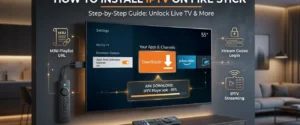
You’ll install IPTV Fire Stick by first enabling Developer Options in Settings > My Fire TV, then turning on “Apps from Unknown Sources” and “ADB Debugging“. Next, download the Downloader app from Amazon’s